Methods
-
add_animation(object, name, frames, fps, loop)
-
Parameters:
Name Type Description objectSprite sprite to apply the animation to
nameString name of the tag for the animation
framesarray of numbers or strings that correspond to frames to add to the animation
fpsNumber the speed the animation should play
loopBoolean whether or not the animation should loop or play once
Code Equivalent:
variable_object.animations.add('text_name', value_frames, number_fps, checkbox_loop); -
add_child(object, child)
-

Adds a child to the given object.
Check out the third party documentation for a more in depth explanation.Parameters:
Name Type Description objectthe object to add a child to
childthe child to add to the object
Code Equivalent:
variable_object.addChild(value_child); -
add_child(object, child)
-
Parameters:
Name Type Description objectthe object to add a child to
childthe child to add to the object
Code Equivalent:
variable_object.addChild(value_child); -
add_child_at(object, child, index)
-

Adds a child to the given object at the given index.
Check out the third party documentation for a more in depth explanation.Parameters:
Name Type Description objectthe object to add a child to
childthe child to add to the object
indexNumber the index to add the child to
Code Equivalent:
object.addChildAt(child, index); -
add_child_at(object, child, index)
-
Parameters:
Name Type Description objectthe object to add a child to
childthe child to add to the object
indexNumber the index to add the child to
Code Equivalent:
variable_object.addChildAt(value_child, value_index); -
add_image(x, y, tag)
-
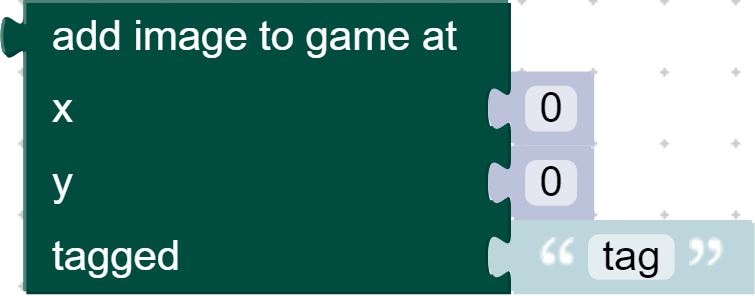
Create a sprite based on an image.
Check out the third party documentation for a more in depth explanation.Parameters:
Name Type Description xNumber x position of the sprite
yNumber y position of the sprite
tagString the tag of the image to use for the sprite
Code Equivalent:
game.add.sprite(x_pos, y_pos, tag) -
addspritewithatlas(tag, source, xml)
-
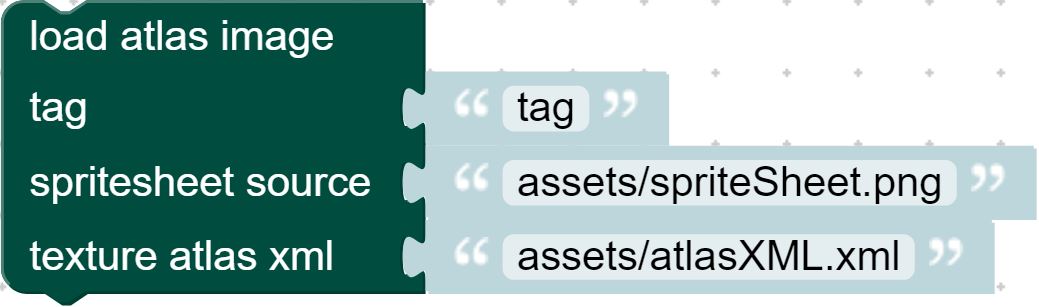
Create an atlas image to be used in the game.
Check out the third party documentation for a more in depth explanation.Parameters:
Name Type Description tagString the tag that defines the image
sourceString the file path of the image
xmlString the file path of the xml file
Code Equivalent:
game.load.atlasXML(value_tag, value_text_source, value_text_xmlsource) -
align_in(object, container, position, offset_x, offset_y)
-
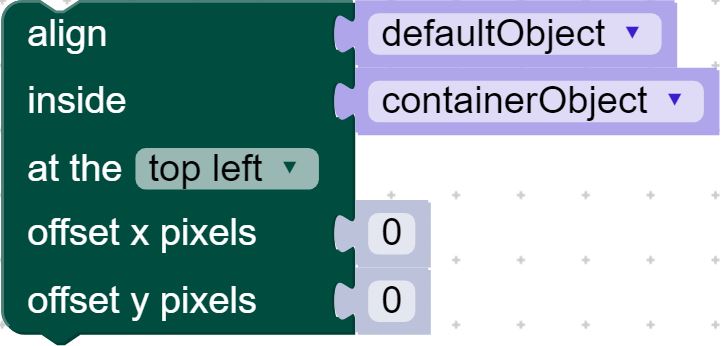
Align an object inside of another object.
Check out the third party documentation for a more in depth explanation.Parameters:
Name Type Description objectobject to align
containerobject to align to
positionNumber position to justify the alignment to
offset_xNumber horizontal adjustment of the alignment
offset_yNumber vertical adjustment of the alignment
Code Equivalent:
object.alignIn(container, Phaser.dropdown_position, offset_x, offset_y); -
align_to(object, container, position, offset_x, offset_y)
-
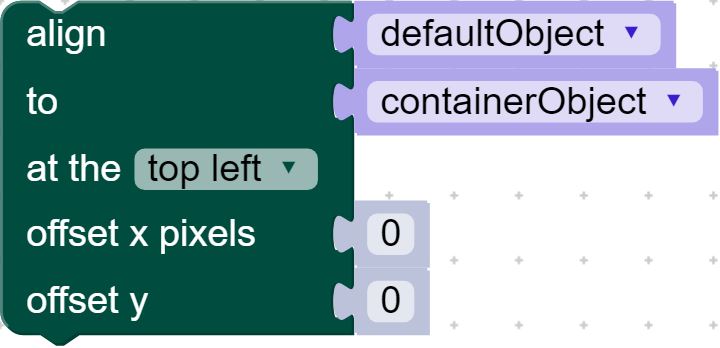
Align an object to the side of another object.
Check out the third party documentation for a more in depth explanation.
Check out the third party documentation for a more in depth explanation.Parameters:
Name Type Description objectobject to align
containerobject to align to
positionNumber position to justify the alignment to
offset_xNumber horizontal adjustment of the alignment
offset_yNumber vertical adjustment of the alignment
Code Equivalent:
object.alignTo(container, Phaser.dropdown_position, offset_x, offset_y); -
Blockly.JavaScript['remove_child'](block)
-
Parameters:
Name Type Description blockCode Equivalent:
undefined -
Blockly.JavaScript['remove_child_at'](block)
-
Parameters:
Name Type Description blockCode Equivalent:
undefined -
Blockly.JavaScript['remove_children'](block)
-
Parameters:
Name Type Description blockCode Equivalent:
undefined -
Blockly.JavaScript['set_child_index'](block)
-
Parameters:
Name Type Description blockCode Equivalent:
undefined -
Blockly.JavaScript['set_texture'](block)
-
Parameters:
Name Type Description blockCode Equivalent:
undefined -
bring_to_top(object)
-

Render an object on top of all other objects.
Check out the third party documentation for a more in depth explanation.Parameters:
Name Type Description objectobject to render
Code Equivalent:
value_object.bringToTop(); -
check_world_bounds(object, bool)
-

If true, the game checks every frame to see if an object is within the world bounds, and returns a boolean with the result.
Check out the third party documentation for a more in depth explanation.Parameters:
Name Type Description objectobject to check
boolBoolean enables/disables checking world bounds
Code Equivalent:
value_object.checkWorldBounds = value_bool; -
clear_cropping(object)
-

Clear the cropping on an object's image.
Check out the third party documentation for a more in depth explanation.Parameters:
Name Type Description objectobject whose image is cropped
Code Equivalent:
value_object.crop(); -
clear_scale_min_max(object)
-

Clears all scale constraints set on the object.
Check out the third party documentation for a more in depth explanation.Parameters:
Name Type Description objectobject to clear scale constraints from
Code Equivalent:
value_object.setScaleMinMax(); -
contains(object, child)
-

Checks if an object contains the given child.
Check out the third party documentation for a more in depth explanation.Parameters:
Name Type Description objectobject to check
childchild to check
Code Equivalent:
object.contains(value_child) -
contains(object, child)
-
Parameters:
Name Type Description objectobject to check
childchild to check
Code Equivalent:
variable_object.contains(value_child) -
create_image(tag, source)
-

Create an image to be used in the game.
Check out the third party documentation for a more in depth explanation.Parameters:
Name Type Description tagString the tag that defines the image
sourceString the file path of the image
Code Equivalent:
game.load.image(tag, source); -
create_sprite_sheet(tag, source, width, height)
-
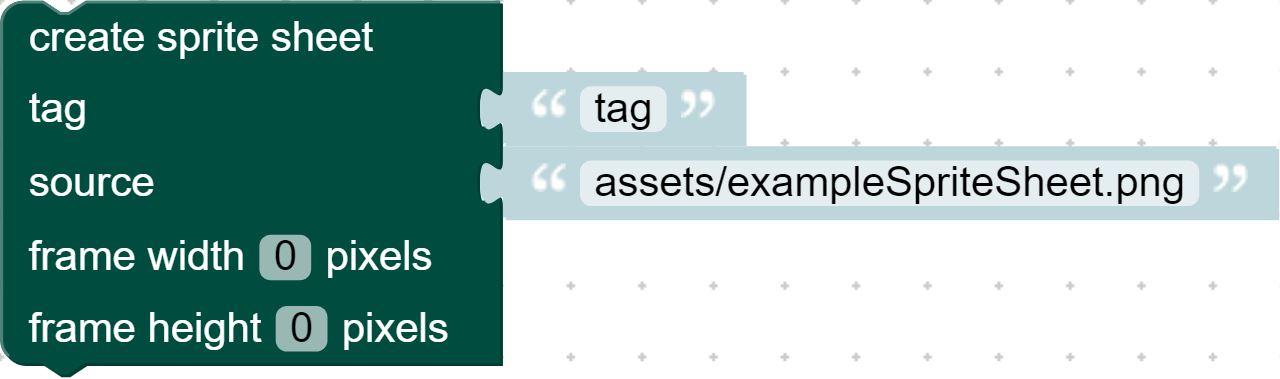
Create a sprite sheet from an image.
Check out the third party documentation for a more in depth explanation.Parameters:
Name Type Description tagString the tag that defines the image
sourceString the file path of the image
widthNumber the width of each frame
heightNumber the height of each frame
Code Equivalent:
game.load.spritesheet(tag, source, number_frame_width, number_frame_height); -
crop(object, rectangle)
-

Crop the image of an object to the given rectangular bounds.
Check out the third party documentation for a more in depth explanation.Parameters:
Name Type Description objectobject whose image is getting cropped
rectanglePhaser.Rectangle the rectangle bounds and properites to use for the crop
Code Equivalent:
value_object.crop(value_rectangle); -
destroy_sprite(object, bool)
-

Destroy the given sprite object.
Check out the third party documentation for a more in depth explanation.Parameters:
Name Type Description objectobject to destroy
boolBoolean whether or not the sprite's children should also be destroyed
Code Equivalent:
value_object.destroy(value_bool); -
get_child_at(object, index)
-

Get the child at the given index.
Check out the third party documentation for a more in depth explanation.Parameters:
Name Type Description objectobject to get the child from
indexNumber index the child is located at
Code Equivalent:
object.getChildAt(value_index) -
get_child_at(object, index)
-
Parameters:
Name Type Description objectobject to retrieve the child from
indexNumber index the child is located at
Code Equivalent:
variable_object.getChildAt(value_index) -
get_child_index(object, child)
-
Parameters:
Name Type Description objectobject to get the child from
childchild to get the index from
Code Equivalent:
variable_object.getChildIndex(value_child) -
get_child_index(object, child)
-

Get the index of the given child.
Check out the third party documentation for a more in depth explanation.Parameters:
Name Type Description objectobject to get the child from
childchild to get the index from
Code Equivalent:
object.getChildIndex(child) -
imagesubtextureatlas(x, y, tag, id)
-
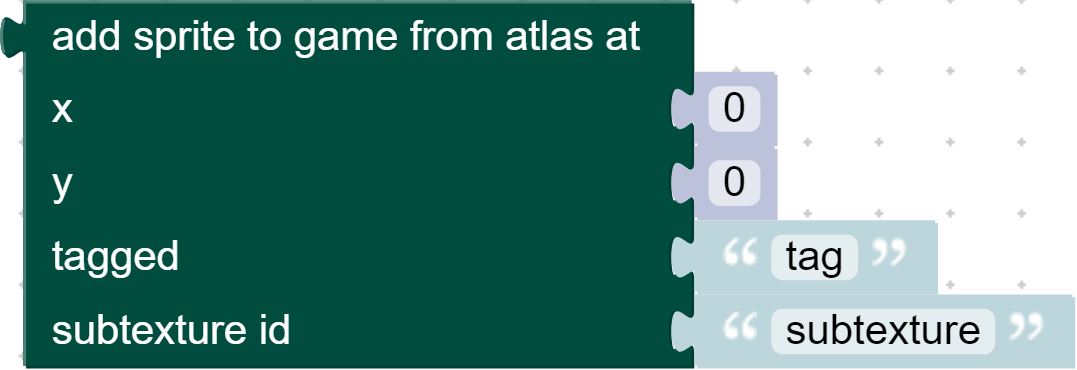
Create a sprite based on an atlas image.
Check out the third party documentation for a more in depth explanation.Parameters:
Name Type Description xNumber x position of the sprite
yNumber y position of the sprite
tagString the tag of the image to use for the sprite
idString the id of the xml texture to use for the sprite
Code Equivalent:
game.add.sprite(value_x, value_y, value_spritesource, value_xmlsubtexture ) -
load_texture(object, tag)
-

Changes the image of a sprite object.
Check out the third party documentation for a more in depth explanation.Parameters:
Name Type Description objectobject whose image is getting changed
tagString the tag of the texture to change the image to
Code Equivalent:
value_object.loadTexture(value_texture); -
move_down(object)
-

Moves the object down one layer in the display list.
Check out the third party documentation for a more in depth explanation.Parameters:
Name Type Description objectobject to render
Code Equivalent:
value_object.moveDown(); -
move_up(object)
-

Moves the object up one layer in the display list.
Check out the third party documentation for a more in depth explanation.Parameters:
Name Type Description objectobject to render
Code Equivalent:
value_object.moveUp(); -
out_of_bounds_faint(object, boolean)
-

If true, the object gets deleted if it leaves the world bounds.
Check out the third party documentation for a more in depth explanation.Parameters:
Name Type Description objectobject that gets deleted
booleanBoolean sets the action to true or false
Code Equivalent:
value_object.outOfBoundsFaint = value_bool; -
out_of_bounds_kill ()
-
Code Equivalent:
undefined -
remove_child(object, child)
-

Removes the given child from the object.
Check out the third party documentation for a more in depth explanation.Parameters:
Name Type Description objectobject to remove the child from
childchild to remove from the object
Code Equivalent:
object.removeChild(child); -
remove_child_at(object, index)
-

Removes the child at the given index from the object.
Check out the third party documentation for a more in depth explanation.Parameters:
Name Type Description objectobject to remove the child from
indexindex of the child to remove from the object
Code Equivalent:
object.removeChildAt(value_index); -
remove_children()
-

Removes all children from the object.
Check out the third party documentation for a more in depth explanation.Code Equivalent:
object.removeChildren(); -
reset_frame(object)
-
Parameters:
Name Type Description objectobject to reset
Code Equivalent:
value_object.resetFrame(); -
resize_frame()
-
Parameters:
Type Description Code Equivalent:
value_object.resetFrame(value_parent, value_width, value_height); -
send_to_back(object)
-

Render an object below all other objects.
Check out the third party documentation for a more in depth explanation.Parameters:
Name Type Description objectobject to render
Code Equivalent:
game.world.sendToBack(variable_object); -
set_child_index(object, child, index)
-

Sets the position of the child in the object's list of children.
Check out the third party documentation for a more in depth explanation.Parameters:
Name Type Description objectobject that contains the child
childchild to change the position of
indexNumber index to set the child's position to
Code Equivalent:
object.setChildIndex(child, index); -
set_scale_min_max(object, minX, minY, maxX, maxY)
-
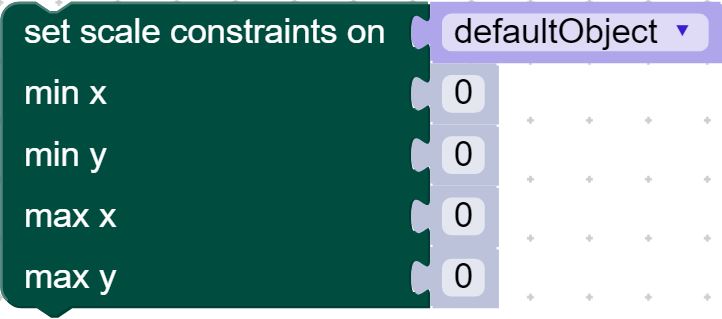
Sets the limits for how the object will scale based on it's parent.
Check out the third party documentation for a more in depth explanation.Parameters:
Name Type Description objectobject to set the scale constraints for
minXNumber the minimum horizontal scale the Game Object can scale down to
minYNumber the minimum vertical scale the Game Object can scale down to
maxXNumber the maximum horizontal scale the Game Object can scale down to
maxYNumber the maximum vertical scale the Game Object can scale down to
Code Equivalent:
value_object.setScaleMinMax(minX, minY, maxX, maxY); -
set_sprite_frame(object, frame)
-

Sets the texture frame for the object to use for rendering.
Check out the third party documentation for a more in depth explanation.Parameters:
Name Type Description objectobject to set the frame for
frameframe to set the texture to
Code Equivalent:
value_object.setFrame(value_frame); -
sprite_overlap ()
-
Code Equivalent:
undefined -
swap_children(parent, child, child2)
-

Swaps the position of the two children in the object's list.
Check out the third party documentation for a more in depth explanation.Parameters:
Name Type Description parentparent of the children who are being swapped
childto be swapped with child2
child2to be swapped with cihld
Code Equivalent:
value_parent.swapChildren(value_child, value_child2);


